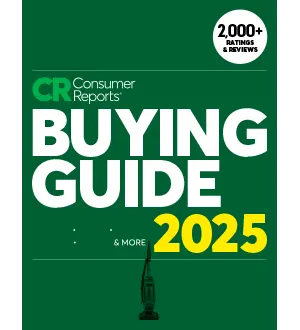
Consumer Reports – Buying Guide 2025

Consumer Reports – Buying Guide 2025
English | 150 pages | True PDF | 13.1 MB

Ratings, recommendations, reliability reports, safety and price comparisons from the world’s largest consumer testing center. Helps consumers make better choices for everything from cars to cell phone service. The only magazine of its kind: Expert, independent, nonprofit. 100% unbiased. Consumer Reports accepts no outside advertising.

Offering over 2,000 ratings and reviews across various product categories including appliances, home entertainment, cleaning tools, and cars. It’s presented in a digital PDF format for convenience, allowing users to navigate by clicking on category links, images, or page tabs.

The guide emphasizes its independence, stating that all products are purchased for testing and no advertisements are accepted, ensuring unbiased advice. Key features highlighted for understanding the ratings include:

  • Overall Score: A holistic measure of product quality combining performance tests and member survey data.
  • CR Recommended: Top-scoring models with no brand reliability issues.
  • CR Smart Buy: Products meeting performance, reliability, and safety standards while offering good value (excluding autos and tires).
  • CR Green Choice: Models with a lower environmental impact.
  • Predicted Reliability: Forecasts based on member surveys about the likelihood of a new model having problems.
  • Owner Satisfaction: Based on how likely surveyed members are to recommend or repurchase a product.
  • Test Results: Performance in exhaustive in-house tests.
  • Features: Detailed product specifications.

The guide provides specific buying advice and ratings for numerous product categories, including:

  • Air Purifiers: Discusses HEPA filters, washable prefilters, filter indicators, and Energy Star certification, while advising against models with electrostatic precipitators or ionizers due to potential ozone production.
  • Clothes Dryers: Covers moisture sensors, auto-dry cycles, and extended-tumble settings, differentiating between electric and gas models.
  • Cooktops: Details features like burner materials, grates, electronic igniters, and heating performance, noting the rise of induction models.
  • Dishwashers: Highlights soil sensors, adjustable racks, and rinse-and-hold options, advising against drawer models.
  • Gas Grills: Focuses on burner quality, grates, igniters, and temperature range.
  • Generators: Explains wattage needs for different applications and safety features like carbon monoxide shut-off.
  • Lawn Mowers and Tractors: Compares gas and battery-powered models, and discusses features for different lawn sizes and terrains.
  • Mattresses: Emphasizes support and comfort, advising on return windows and what features to skip.
  • Refrigerators: Covers temperature control, usable capacity, energy efficiency, and features like ice makers and water dispensers.
  • Ranges: Discusses fuel types (gas, electric, dual-fuel, induction), oven rack positions, and double oven capabilities.
  • Vacuums: Differentiates between bagless and bagged uprights, canisters, stick vacs, and robotic vacuums, noting the importance of clean emissions for allergy sufferers.
  • Routers: Explains the difference between traditional and mesh routers, and the benefits of WiFi 7.
  • Smartphones: Advises on screen size, storage, and compatibility with operating systems.
  • Smartwatches: Highlights compatibility, fitness features, water resistance, and battery life.
  • Streaming Media Devices: Recommends 4K models with HDR, voice control, and dual-band WiFi.
  • Soundbars: Discusses channel configurations (2.1, 3.1, 5.1), Dolby Atmos, and the importance of sound quality.
  • TVs: Focuses on 4K resolution, HDR, screen size, and sound quality, advising against 8K TVs for now.
  • Wireless Speakers: Covers home and portable models, emphasizing sound quality, battery life, and water resistance.
  • Printers: Differentiates between inkjet and laser, and discusses all-in-one capabilities and long-term ink costs.
  • Cars: Provides ratings for new cars across various categories (sedans, SUVs, trucks, EVs, etc.) and includes lists of recommended and least reliable used cars by price range and vehicle type.
  • Tires: Details different tire types (all-season, all-weather, UHP, winter, truck) and their performance characteristics, including projected tread life.

The guide also includes sections on “How We Test” for each category, explaining the methodology behind the ratings, and provides links to CR.org for more detailed information and the latest ratings.

The 5 Best PDF Readers for Digital Magazines in 2026

Reading digital magazines on a screen is a completely different experience from reading on paper — and the right PDF reader can make or break that experience. Whether you're flipping through a glossy fashion magazine, a dense technical journal, or a comic-style publication, your reader app affects everything from page-turn smoothness to night-time eye comfort.

Here's our breakdown of the five best PDF readers for digital magazine lovers, complete with pros, cons, and who each one is best suited for.

1. Adobe Acrobat Reader

The industry standard, and for good reason.

Adobe Acrobat Reader remains the gold standard for PDF viewing across desktop, mobile, and web. For digital magazines packed with embedded fonts, vector graphics, and interactive elements, Acrobat renders everything with pixel-perfect accuracy.

âś… Pros

  • Universal compatibility — opens any PDF without rendering issues
  • Liquid Mode reflows magazine layouts for small screens
  • Cloud sync across devices
  • Free annotation and highlighting tools

❌ Cons

  • Can feel heavy/slow on older devices
  • Frequent update prompts
  • Some premium features locked behind subscription

Best for: Readers who want maximum compatibility and don't mind a slightly heavier app.

2. Xodo PDF Reader & Editor

Lightweight, fast, and beautifully minimal.

Xodo has become a favorite among magazine readers who want speed without sacrificing features. It's completely free, ad-light, and handles large magazine files (100MB+) without lag.

âś… Pros

  • Blazing-fast page rendering, even for image-heavy issues
  • Dual-page "spread" view for tablets — mimics a real magazine
  • Excellent night mode with adjustable warmth
  • Free cloud storage integration (Google Drive, Dropbox, OneDrive)

❌ Cons

  • Mobile-only focus (desktop version is more limited)
  • Fewer advanced editing tools than Acrobat

Best for: Tablet readers who want that authentic "two-page spread" magazine feel.

3. Foxit PDF Reader

The power-user's choice.

Foxit strikes a great balance between performance and features. It's particularly popular for magazines that include forms, hyperlinks, and bookmarked sections (common in tech and business publications).

âś… Pros

  • Extremely fast startup and load times
  • Excellent bookmark/table-of-contents navigation
  • Built-in PDF compression (great for archiving large magazine collections)
  • Strong security features (password protection, redaction)

❌ Cons

  • Interface feels slightly more "corporate" than reader-focused
  • Some tools require Foxit PDF Editor (paid)

Best for: Readers who download and archive large magazine libraries.

4. SumatraPDF

Minimalist. Lightning-fast. Open-source.

If you're a desktop reader on Windows who values speed above all else, SumatraPDF is unbeatable. It opens instantly, has zero bloat, and supports keyboard-driven navigation perfect for power-reading through issue after issue.

âś… Pros

  • Opens massive PDFs almost instantly
  • Tiny install size (a few MB)
  • Continuous scroll mode great for long-form magazine articles
  • Free, open-source, no ads ever

❌ Cons

  • Windows-only
  • No cloud sync
  • Very basic annotation tools

Best for: Windows users who binge-read magazine archives and want zero friction.

5. Apple Books / Preview (macOS & iOS)

Seamless if you're already in the Apple ecosystem.

For iPhone, iPad, and Mac users, the built-in PDF tools in Apple Books and Preview offer a surprisingly polished magazine-reading experience — especially with iPad's larger screen and Apple Pencil annotation support.

âś… Pros

  • Beautiful, distraction-free reading view
  • Seamless iCloud sync across all Apple devices
  • Apple Pencil markup feels natural for notes/highlights
  • No installation needed — it's already there

❌ Cons

  • Apple ecosystem only
  • Limited file management compared to dedicated PDF apps
  • Fewer customization options for page layout

Best for: iPad readers who want a clean, native experience with zero setup.

Quick Comparison Table

ReaderPlatformBest FeaturePrice
Adobe Acrobat ReaderAllLiquid Mode reflowFree / Premium
XodoMobile/TabletTwo-page spread viewFree
Foxit ReaderDesktopTOC navigation & compressionFree / Pro
SumatraPDFWindowsSpeed & minimalismFree
Apple Books/PreviewApple devicesNative iCloud integrationFree

Final Thoughts

There's no single "best" PDF reader for everyone — it really depends on your device and reading habits:

  • Tablet flippers → go with Xodo
  • Windows speed-readers → go with SumatraPDF
  • Apple users → stick with Apple Books
  • Archivists & collectors → Foxit is your friend
  • Need it to "just work" everywhere → Adobe Acrobat

Whichever you choose, downloading high-quality digital magazine PDFs is the first step to a great reading experience — and that's exactly what we're here for.

Want more reading tips and the latest free magazine downloads? Browse our growing archive and find your next favorite issue today.

Leave a Comment